MB1: Ball Pass
MAKECODE
Diagram

Code
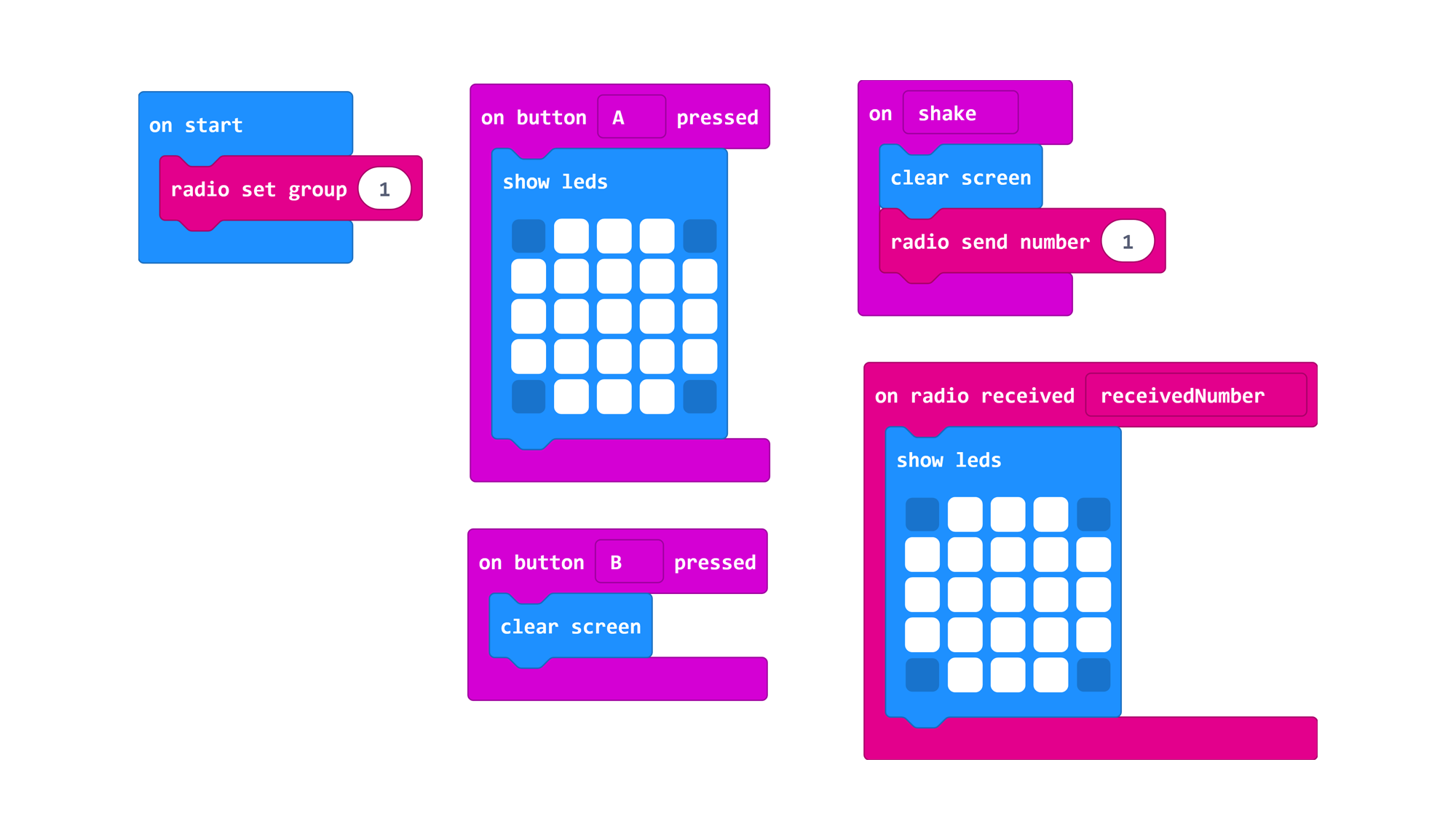
Passing the ball: The code for passing the ball requires uploading the same code (above) onto two microbits on the same radio group. The radio group is set on start and the player throwing the ball ... When the micro:bit is shaken it clears the ball from the screen and sends a number (any number will work) by radio. Another microbit will wait to receive a number by radio and when it receives any number will display the LED lights in the shape of a basketball.
Code available here.

Step Counter: The code for counting steps requires one micro:bit with the code above. On start a variable called "steps" is created which will store and display the counter. When A is pressed the counter will increase by 1. When B is pressed the counter will decrease by adding -1. When A+B are pressed it will reset the counter to 0. After each action the micro:bit will display the number of steps.
Code available here
Game
 Pass the ball and calculate maximum distance | 3 players | 3 micro:bits
Two players each start with a micro:bit. The one starting with the ball presses A and the one catching presses B. Players can throw the ball back and forth to get comfortable with how to hold and shake the microbit. Then players will stand in a wide space or long corridor and see how far they can pass the ball before the radio signal can no longer reach the other micro:bit. Players passing the ball will stand facing each other, taking a step backwards each time they throw the ball. When the micro:bits can no longer communicate, the third player will calculate the maximum distance by counting the steps between the players passing the ball.
ARTBIT
Diagram